AI Translate
The AI Translate feature provides users with AI-powered translations. It introduces an intuitive interface for reviewing and managing AI-suggested translations directly within the document, ensuring content meets professional standards with minimal manual effort.
To start using the Translate feature, first load the AITranslate plugin in your editor configuration. The translate button  will appear in the AI user interface. Learn more about installing and enabling AI features.
AI Translate runs across all roots of a multi-root editor and across all editors sharing a Context, translating the full document in a single pass. See the AI in multi-root and multi-editor setups guide for the integration details.
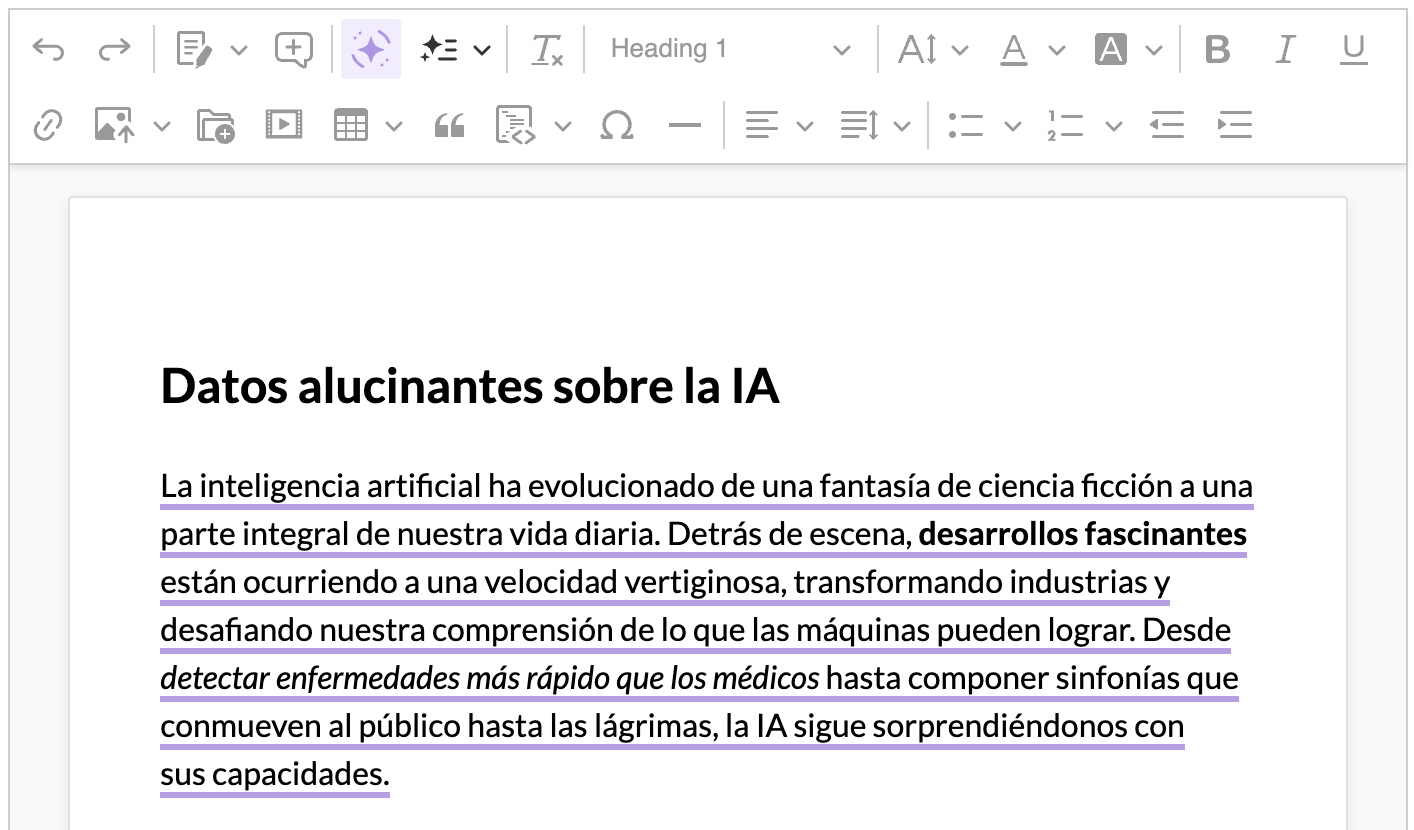
After choosing one of the available languages in the Translate tab, AI will analyze the document and propose a translation. While in the Translate Mode, the editor remains read-only and allows you to browse translation suggestions. Translation suggestions can be seen in the editor content, visualizing how a fully translated document will look:
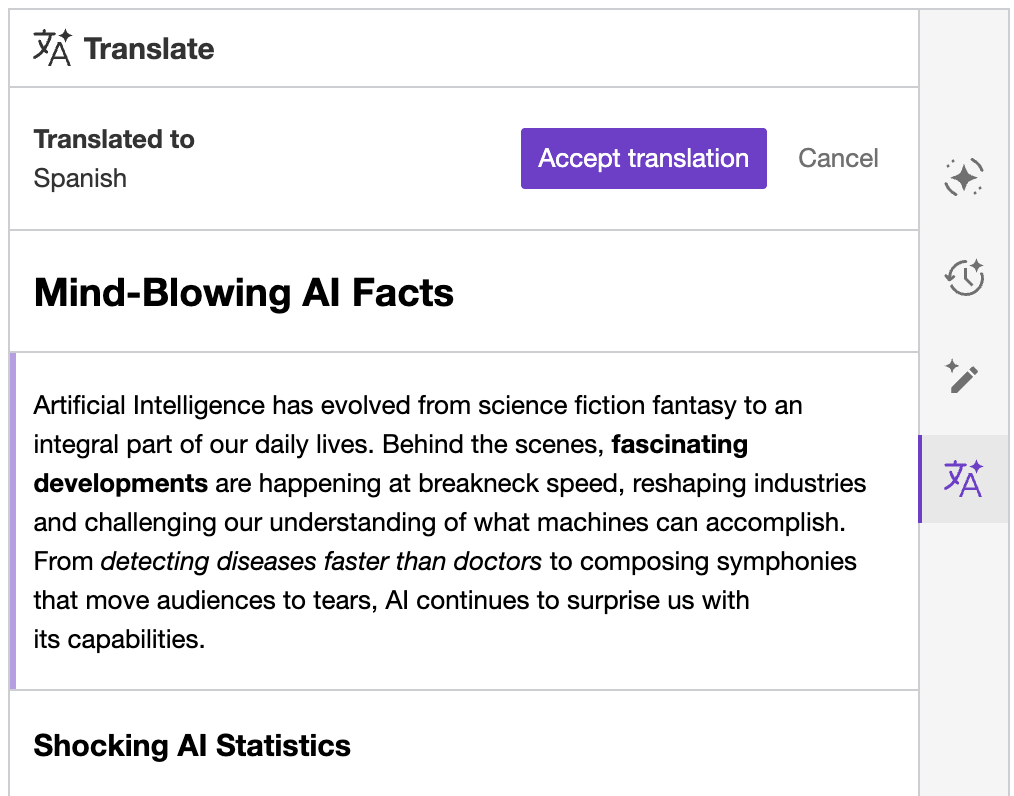
While the Translate tab shows the original content for better context:
You can either click suggestions in the sidebar or select them in the editor content (underlined) to see which translation applies to which part of the original content:
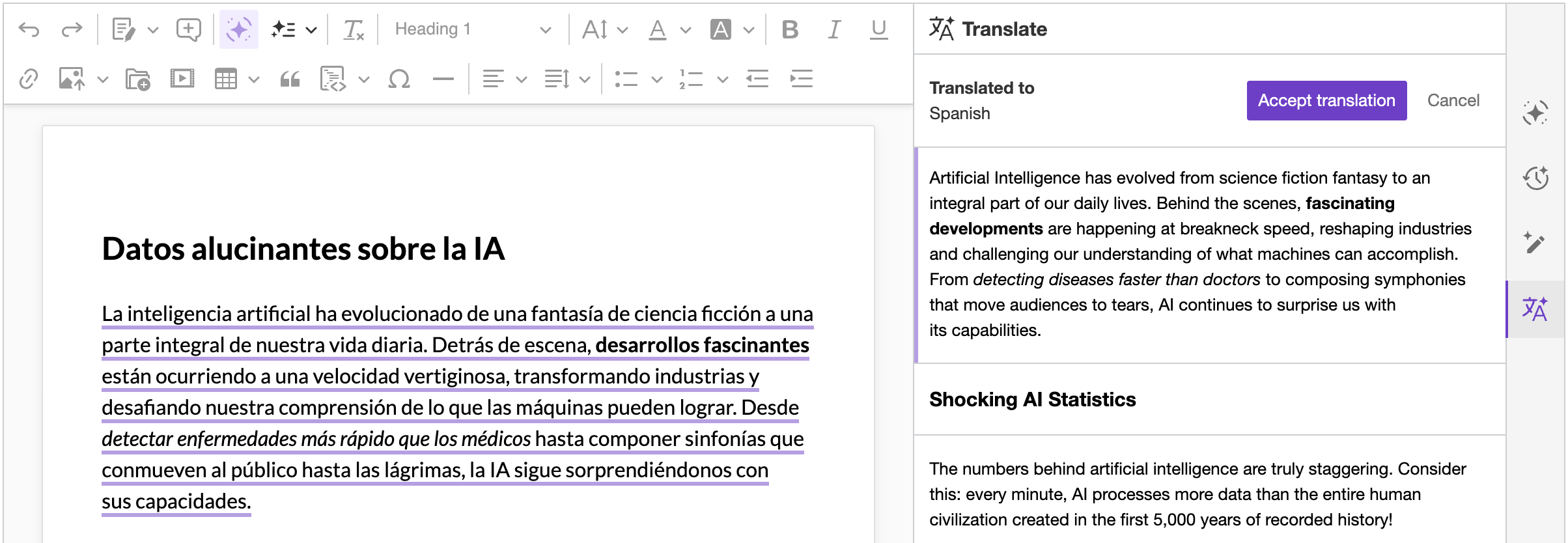
You can accept translations by using the “Accept translation” button at the top of the user interface. You can also abandon the translation by hitting the “Cancel” button.
If the translation is still running or has suggestions that have not been accepted or dismissed yet, leaving it – either by hitting “Cancel” or by switching to another AI tab, such as Chat or Review – shows a confirmation dialog first, as the translation cannot be resumed once abandoned. Choose “Stay in Translation Mode” to keep translating, or “Exit Translation Mode” to discard the translation and leave.
The default list of languages includes several languages out-of-the-box: English, Spanish, French, German, Chinese (Simplified), Japanese, Russian, Portuguese, Korean, and Italian. The list can be fully customized.
The config.ai.translate.languages property allows you to provide a custom list of languages for the “Translate” feature. For instance, the following configuration will replace the default list with “German” and “French”:
ClassicEditor
	.create( {
		ai: {
			translate: {
				languages: [
					{
						id: 'german',
						label: 'German'
					},
					{
						id: 'french',
						label: 'French'
					}
				]
			}
		}
	} )
	.then( ... )
.catch( ... );The AI Translate feature supports multiple languages with varying quality levels. The production-ready languages (English, Spanish, French, German, Chinese (Simplified), Japanese, Russian, Portuguese, Korean, Italian) offer the most reliable results for any-to-any translation pairs. Extended support is available for 40+ additional languages based on LLM provider capabilities, though quality may vary depending on the language pair and content complexity.
Translation quality is generally highest for English-to-X or X-to-English pairs, while any-to-any translation between non-English languages outside the production tier may produce less reliable results, particularly with specialized vocabulary.
Contact us if you need more specific translation capabilities.
Translations can draw on a context from the Context Library – a named container of reusable prompts, reference files, or both, kept on the AI service and referenced by its id.
Reference the context in config.ai.defaultContext and target the translate feature. Set it to true to attach the context to every translation, or provide a RegExp to attach it to selected languages only:
ClassicEditor
	.create( {
		/* ... */

		plugins: [ AITranslate, AIEditorIntegration, /* ... */ ],

		ai: {
			defaultContext: [
				// Applied to every translation.
				{
					id: 'glossary',
					features: {
						translate: true
					}
				},

				// Applied to German translations only.
				{
					id: 'glossary-de',
					features: {
						translate: /^german$/
					}
				}
			]
		}
	} )
	.then( /* ... */ )
.catch( /* ... */ );The RegExp is matched against the id of the target language, as declared in config.ai.translate.languages or taken from the default list. The attached context is invisible to the user, and the same reference is applied whether the translation starts from the translate panel or from startTranslate().
Learn more about the Context Library, including the reference shapes and how to attach contexts to the other AI features.
Translation is available via the REST API through two endpoints, depending on the scope of the content:
- Actions – Best for translating short text sections. The
translateaction performs a single-pass translation of the provided content. - Reviews – Best for full documents. The review-based translation ensures all text is translated, including parts that a single-pass action might miss in longer content.
See the programmatic documentation for examples and the full API reference.