Fetch data from your systems
This page shows one way to set this up. The extensions it uses fit this scenario, and other combinations work too. See Ways to use it and Choose an extension for the full list.
Medical writers at a pharmaceutical company draft clinical study reports and protocol amendments in CKEditor 5. An internal study registry holds the study data: treatment arms, doses, and enrollment figures. To get the chat’s help with a section, writers paste that data in by hand. The pasted copy is out of date as soon as enrollment or the protocol changes.
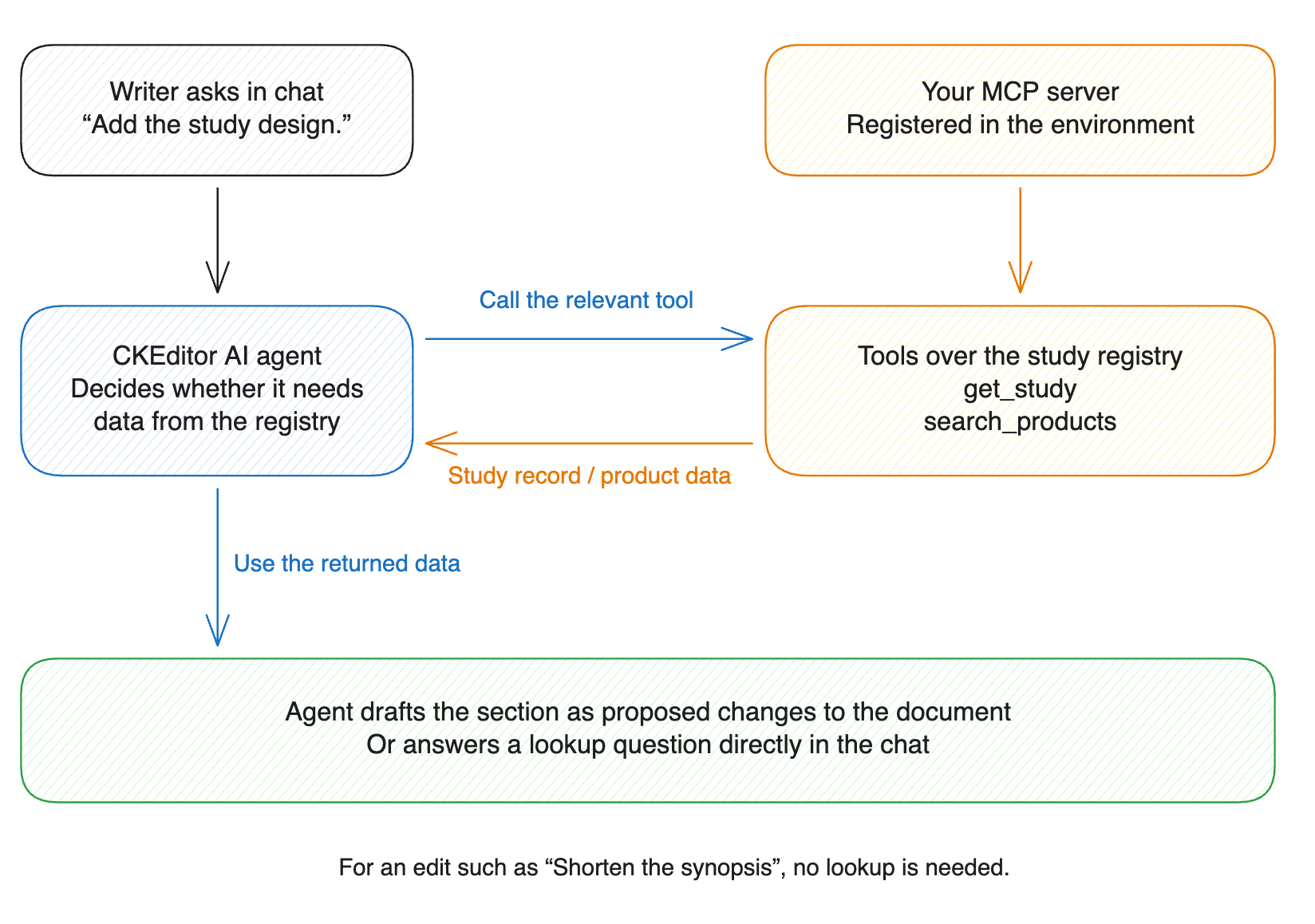
An MCP server gives the agent direct read access to the registry. In this example, the server exposes two tools:
get_studyreturns a study’s current record: phase, design, treatment arms with doses, endpoints, enrollment, and site count.search_productssearches the product master for product names, strengths, formulations, and the markets where each is approved.
- Host an MCP server that calls the registry’s API and exposes one tool per operation.
- Protect the server with an authorization header that it checks on every request.
- Register the server for the environment through the admin API with a token that has the
ai:adminpermission. The request carries the server URL and the authorization header.
The agent calls the server’s tools while it answers chat messages and in Document Processing. Actions and reviews do not use MCP tools.
The agent decides which requests need the registry. When a writer asks, “Add the study design to the Methods section for protocol VLM-3021,” the agent calls get_study and drafts the section from the current record. For a question such as “Is the 50 mg tablet approved in Japan?”, the agent calls search_products and answers in the chat without editing the document. For a request to shorten the synopsis, the agent calls no tool.
- MCP server for your app’s knowledge in Node.js has the server code and the registration request.
- MCP tools covers connecting a server, how it authenticates, and where its tools apply.